
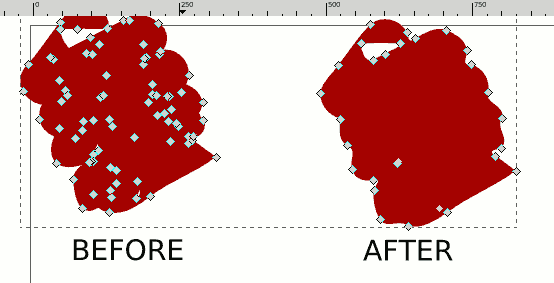
 Lorsque l’on utilise l’outil calligraphique avec un trait épais, il peut se chevaucher multipliant inutilement le nombre de points, la simplification de chemin ne suffit pas. Sur l’écran ci dessus j’ai un peu abusé de la simplification après la méthode. Je conseille de ne faire qu’une seule simplification (ctrl+L) après la méthode que j’explique ici.
Afin de simplifier drastiquement les points, il suffit d’utiliser la fonction de transformation en bitmap, puis de le revectoriser.
Voici une courte vidéo explicative au format libre Ogg/Theora
Elle à été faite grâce à Recordmydesktop
 Using calligrapic tool with large width, when stroke override itself, too much nodes are created, path simplification doesn’t work very fine in this case. On example screenshot I made too much simplification, Only 1 simplification should be done (that remove most nodes) after the following method usage.
The most efficiency method is to transform in bitmap and transform back in vectors.
Here you can find a short video tutorial in Ogg/Theora free format.
This video is made with Recordmydesktop